What Is FlashWombat?
FlashWombat is a dynamic QR campaign app for Shopify merchants who connect product packaging, inserts, displays, events, and other physical moments to their store. It keeps the public address in the printed QR code stable while the merchant changes the saved shopper destination behind it.
That makes FlashWombat a good fit when packaging may remain in circulation after a product, offer, or campaign changes. The app also keeps the editable destination, named physical placements, lifecycle controls, artwork checks, and directional reporting together in Shopify admin.
Install FlashWombat free from the Shopify App Store or read on to decide whether the dynamic workflow fits your campaign.
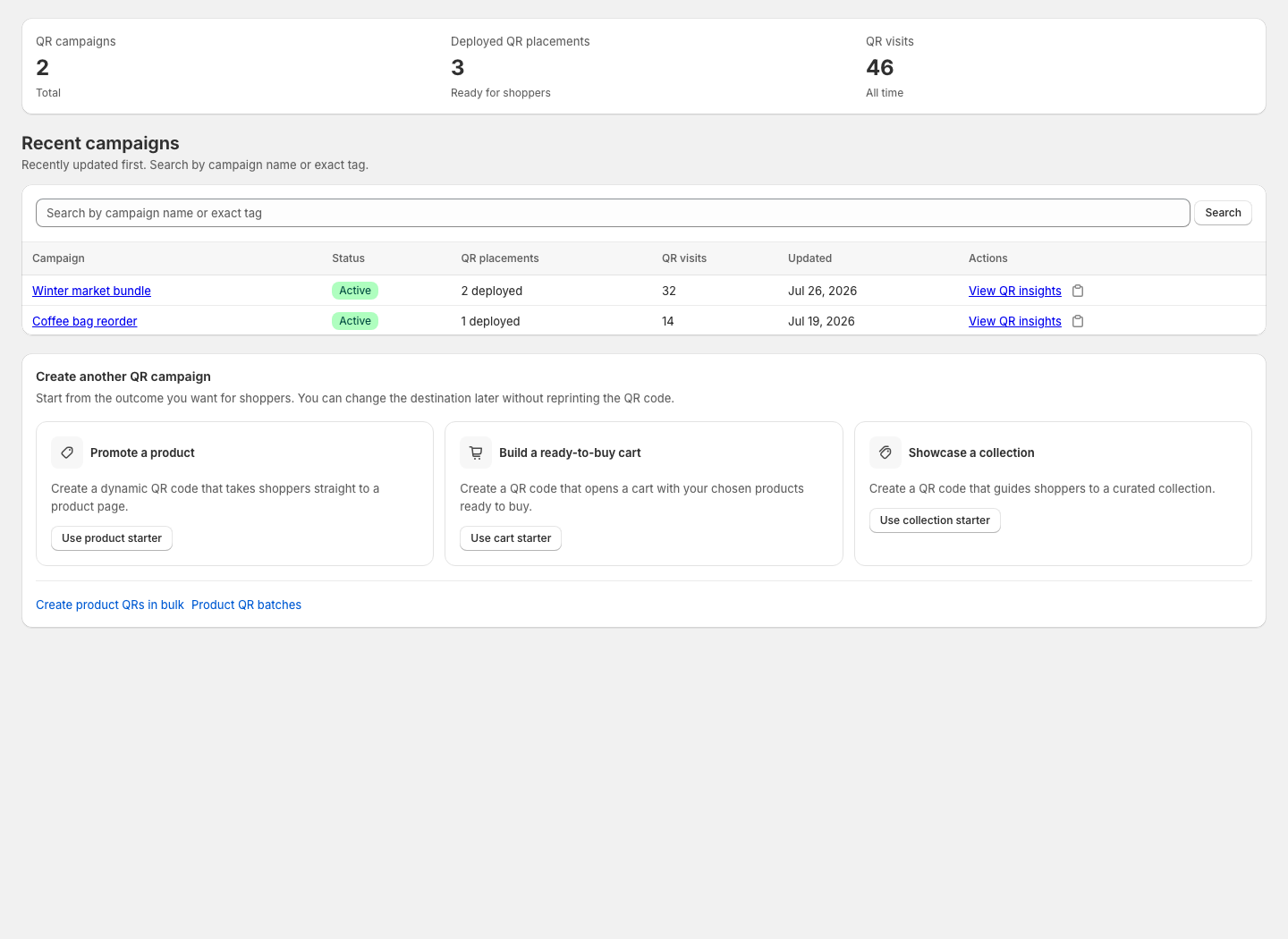
The dashboard above uses sample campaign data.
When Does FlashWombat Fit?
Use FlashWombat when one or more of these conditions apply:
- Reprinting packaging, inserts, or signs would take meaningful time or money.
- The product, collection, ready cart, offer, schedule, or fallback destination may change.
- Several physical placements should follow one campaign destination but keep distinct names and visit reporting.
- Your team needs to review configuration and artwork choices before a print run.
- Directional visit and supported checkout signals would help you compare campaigns or placements.
FlashWombat is designed for merchant-managed QR campaigns. Every campaign also has a supporting public link for routing and measurement; that link can be shared directly when a digital channel needs the same journey.
When Is a Static QR Code Enough?
A simple static QR code may be sufficient when the final URL is unlikely to change, the artwork is easy to replace, and you do not need campaign lifecycle controls or FlashWombat reporting. A static code encodes the final destination in the artwork, so changing that destination normally means preserving the old URL or replacing the code.
Read Static vs Dynamic QR Codes for Shopify for a side-by-side decision guide covering editing, print risk, service dependency, lifecycle controls, measurement, and maintenance.
Understand the QR Campaign Model
FlashWombat keeps four related parts together:
- A QR campaign holds the shopper destination, status, schedule, lifecycle fallbacks, tags, analytics, and supporting campaign link.
- A QR placement is one named physical use, such as a package, order insert, counter card, or event poster.
- A QR code is the scannable artwork for that placement. Its public address remains stable while the saved campaign destination changes.
- A supporting campaign link powers routing, attributed visits, and known bot filtering. It can also be shared directly.
Creating a campaign asks for the first placement and creates both records together. Add another placement when several physical uses should share one destination while keeping their names and visit counts separate.
Choose the Shopper Outcome
FlashWombat can send shoppers to:
- A Shopify product.
- A Shopify collection.
- A ready cart with selected variants and quantities.
- A ready cart that carries an existing Shopify discount code.
- A raw or smart destination when the current plan supports it.
Start with one clear outcome. Packaging might help someone view or reorder a product, an event poster might open a featured collection, and an insert might prepare a cart. FlashWombat can carry an existing offer code into the journey; Shopify decides whether the code applies.
Know What FlashWombat Can and Cannot Check
FlashWombat can review campaign configuration and the exact artwork and output choices used for a placement. These checks reduce common risks, but cannot guarantee scanning on every phone, printer, material, lighting condition, or viewing distance. Always test one production-size proof before a full print run.
The app records visits to campaign and named QR addresses, reduces known automated traffic, and can associate supported checkout activity with recent campaign context. Use those results as directional evidence. They do not prove unique people, verified camera scans, a particular order, exact Shopify revenue, or that the QR code caused a purchase.
Choose Your Next Step
- If product packaging is your priority, follow Add a Dynamic QR Code to Shopify Product Packaging.
- If you are ready to build one campaign, create and test your first Shopify QR code.
- If you are choosing between a product page and a prepared cart, compare product-page and ready-cart QR codes.
- If you need schedules, fallbacks, passwords, or advanced destinations, configure an advanced QR campaign.
- If you are still choosing an approach, return to the Shopify QR code generator.
Shopify Flow is optional. If your store uses it, start with the Shopify Flow automation overview before relying on automation for campaign operations.